


50GB 2 Years | For Trail Camera & Security Camera
50GB 2 Years | For Trail Camera & Security Camera
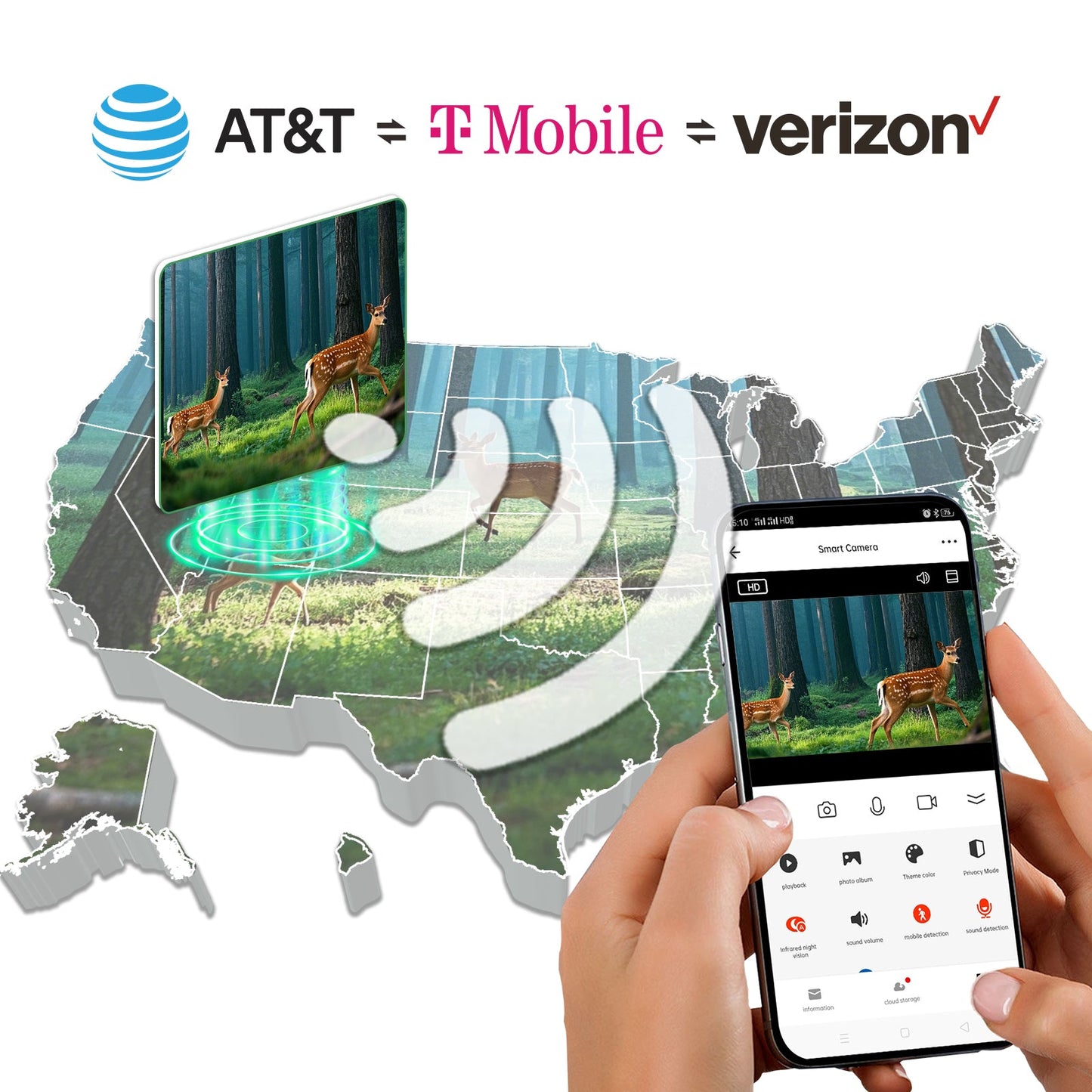
Support Verizon, AT&T and T-Mobile
Coverage in 45 Countries:Seamless Coverage in USA and global 45 Countries used
No Contract Fees: No contract or hidden fees, offering flexible usage.
Compatible with 4G Unlocked Devices
Supported Countries
Supported Countries

Our SIMs work in 45 countries worldwide. Here's the list by continent:
North America:United States
Europe:
Austria, Ukraine, North Macedonia, Latvia, Lithuania, Serbia, Slovenia, Bulgaria, Norway, Belarus, Denmark, Croatia, Sweden, United Kingdom, Republic of Ireland, France, Liechtenstein, Portugal, Spain, Greece, Italy, Romania, Poland, Germany, Slovakia, Netherlands, Belgium, Iceland, Malta, Luxembourg, Czech Republic, Hungary, Estonia, Bosnia and Herzegovina, Cyprus, Faroe Islands, Finland
Asia:
Israel, Kuwait, Sri Lanka, Turkey
Africa:
Ghana, South Africa, Réunion
Couldn't load pickup availability


How to activate SlM card?
- Step 1 : Make sure your device UNLOCKED
- Step 2 : Read your device user manual to find APN setting
- Step 3 : Fill in APN linksnet
- Step 4: And restart your device
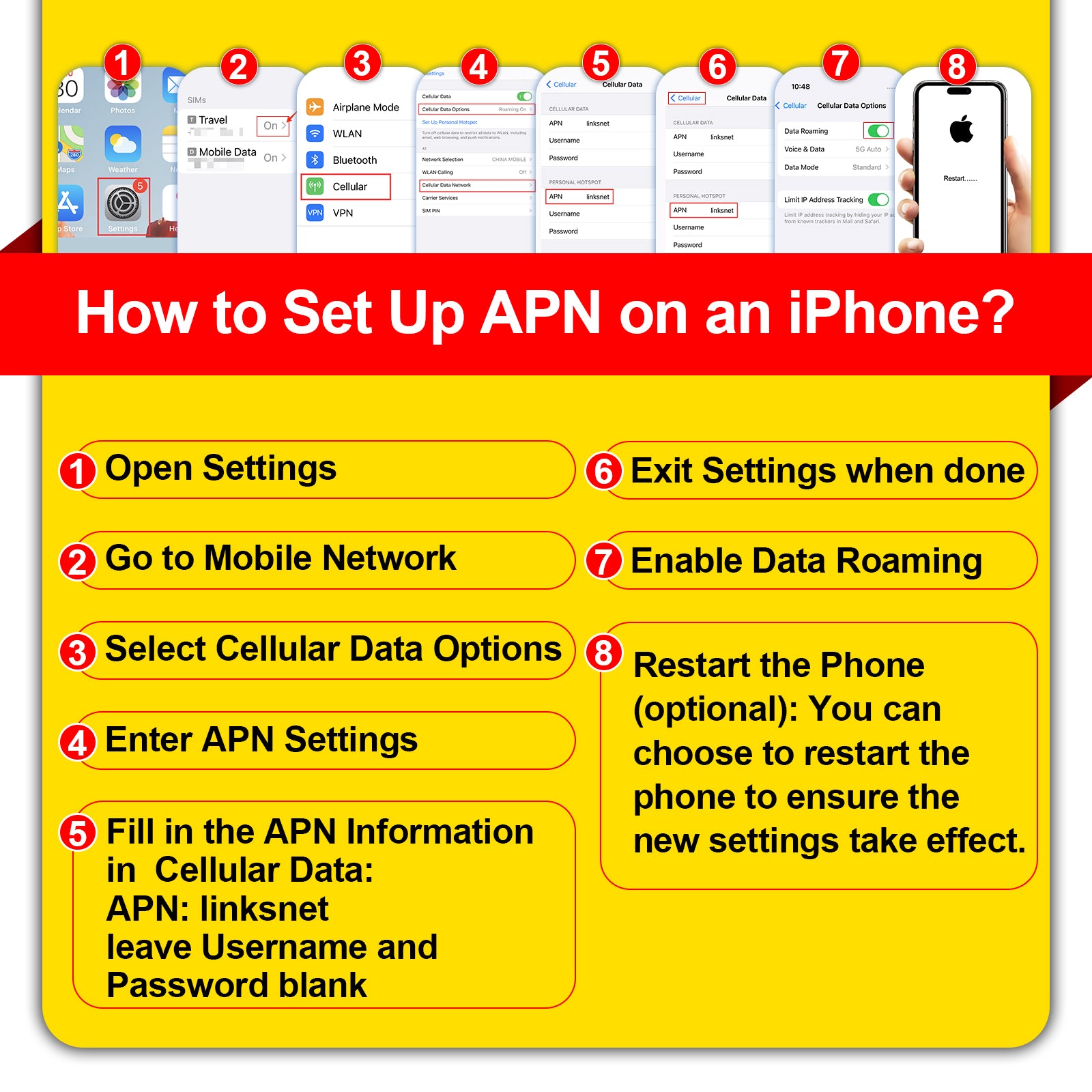
How to set APN on your iPhone?
Phone Settings=>Cellular=>Cellular Date=>Cellular DateNetwork=>enter the APN information=>Enable Date Roaming
- APN name: TALKSIM /SmartSIM KiwiSIM
- APN:unet / linksnet
- Username and password do not need to be entered
Go to YouTube Video Tutorial
How to set APN on your Android Devices?
Phone Settings=>Mobile Network=>Select the card name=>Turn onDate Roaming=>Access Point Name(APN)=>NeW APN=>Enter the APNinformation
- APN name: TALKSIM /SmartSIM KiwiSIM
- APN:unet / linksnet
- Username and password do not need to be entered
Go to YouTube Video Tutorial
How to set APN on camera?
Method 1:Insert the card into the phone, configure the APN of the card, and then insert the card into the camera.
Method 2:=>Power on the camera Press the "Reset" button for 5-10 seconds. After you hear the device say “system reset” Insert the card in the correct direction.
=>Enter the device's APPClick “Add a device” Then Click “Setup 4G Device”
=>Click “Blue light isn't constantly on? Click here” Click “Setup APN”
=>Click “Setup APN” Enter “linksnet” Click “OK”
=>After configuring the APN If the camera has not detected the card, you can let the device scan the QR code. If the card is detected the card, you can click“ Next”
- APN name: TALKSIM /SmartSIM KiwiSIM
- APN:unet / linksnet
- Username and password do not need to be entered
Go to YouTube Video Tutorial
How to set APN on your Mifi/Wifi Hotspot?
Connect your hotspot to your computer with a USB cable and then open the URL:http://192.168.0.1/=> Enter: Username: admin, Password: admin, then click "Login" => Click “Network Settings” => Turn on Data Roaming and click "APN" => Click "Add New" => Enter: Profile Name: TALKSIN, APN: unet => Leave the others blank => Click “Apply.”
- APN name: TALKSIM /SmartSIM KiwiSIM
- APN:unet / linksnet
- Username and password do not need to be entered
Go to YouTube Video Tutorial
How to set APN on SmartWatch?
Phone Settings=>Cellular=>Cellular Date=>Cellular DateNetwork=>enter the APN information=>Enable Date Roaming
- APN name: TALKSIM /SmartSIM KiwiSIM
- APN:unet / linksnet
- Username and password do not need to be entered
Go to YouTube Video Tutorial


